

Introduction
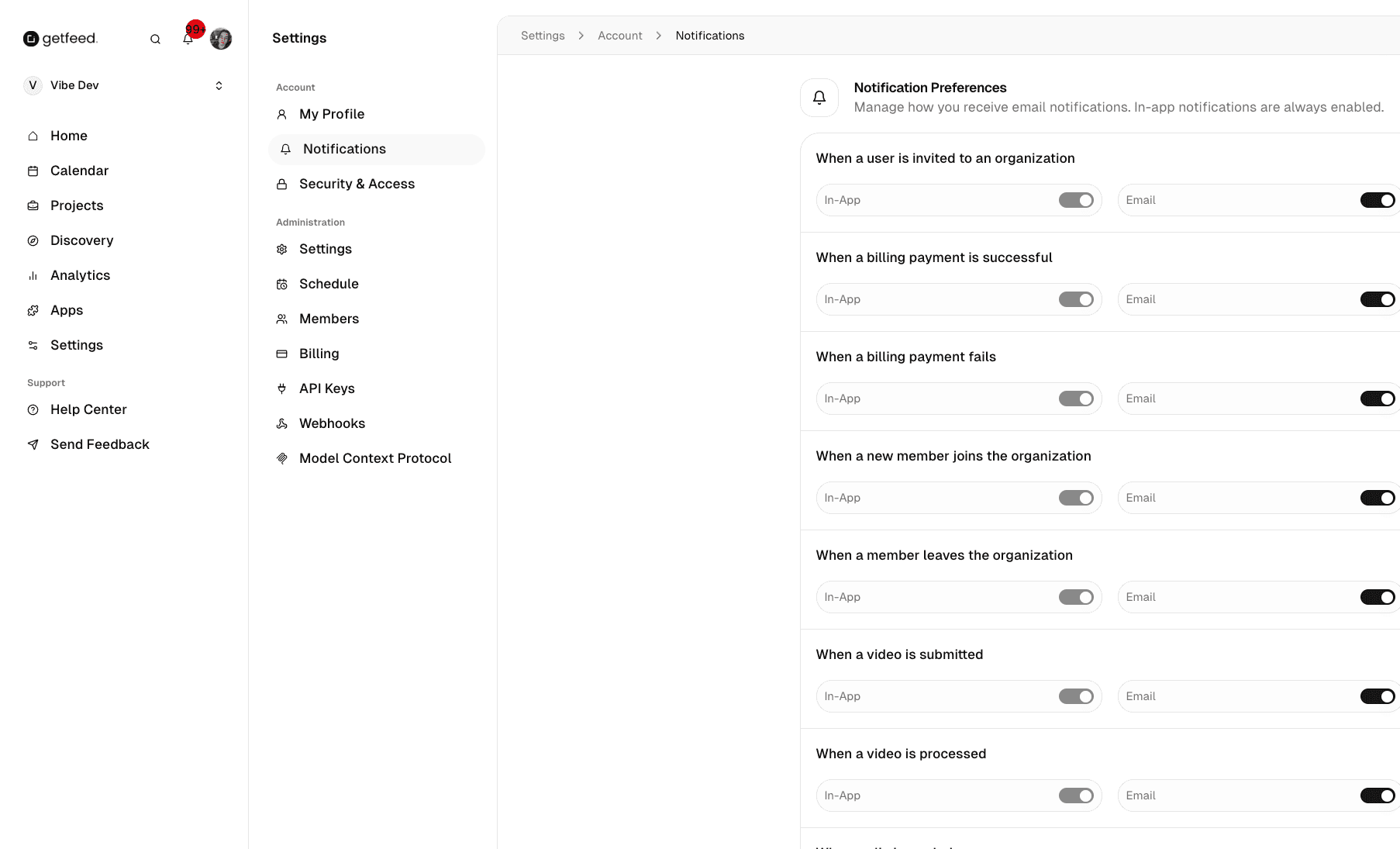
The Notifications page lets you control how GetFeed communicates with you. Configure which updates you receive via email and in-app notifications to stay informed about your content pipeline without being overwhelmed. By the end of this guide, you'll have your notification preferences tailored to your workflow.
Pro-Tip
Prerequisites
Before configuring notifications, ensure you have:
- Access to the GetFeed dashboard
- A valid email address associated with your account
Accessing Notification Settings
Navigate to Settings
From your GetFeed dashboard, click Settings in the left sidebar.
Open Notifications
In the Settings sidebar, under Account, click Notifications.
Notification Types
GetFeed notifications are organized into categories:
Content Notifications
Updates about your video processing and clip generation:
| Notification | Description |
|---|---|
| Video processed | When a video finishes processing and clips are ready |
| Clip rendered | When an edited clip finishes rendering |
| Processing failed | When a video or clip fails to process |
Publishing Notifications
Updates about your scheduled and published content:
| Notification | Description |
|---|---|
| Post published | When a scheduled post goes live on social media |
| Post failed | When a post fails to publish |
| Schedule reminder | Reminders about upcoming scheduled posts |
Team Notifications
Updates about team activity (for organizations with multiple members):
| Notification | Description |
|---|---|
| Member joined | When a new team member accepts an invitation |
| Content shared | When a team member shares content with you |
Account Notifications
Important updates about your account:
| Notification | Description |
|---|---|
| Usage alerts | When approaching plan limits |
| Billing updates | Payment confirmations and subscription changes |
| Security alerts | Login from new devices, password changes |
Notification Channels
Notifications can be delivered through multiple channels:
| Channel | Description |
|---|---|
| Sent to your registered email address | |
| In-App | Appear in the notification bell in the GetFeed dashboard |
| Push | Browser notifications (if enabled in your browser) |
Note
Configuring Preferences
Enabling/Disabling Notifications
Each notification type has a toggle switch:
- On: You'll receive this notification
- Off: This notification is muted
Choosing Delivery Methods
For each notification type, you can choose which channels to use:
- Toggle email notifications on or off
- In-app notifications remain active for important updates
- Enable browser push notifications in your browser settings
Saving Preferences
Changes to notification settings are saved automatically. There's no need to click a save button—your preferences take effect immediately.
Recommended Settings
For Solo Creators
| Category | Recommended Setting |
|---|---|
| Video processed | ✅ Email + In-App |
| Clip rendered | In-App only |
| Processing failed | ✅ Email + In-App |
| Post published | In-App only |
| Post failed | ✅ Email + In-App |
| Usage alerts | ✅ Email + In-App |
For Teams/Agencies
| Category | Recommended Setting |
|---|---|
| Video processed | In-App only |
| Clip rendered | Off (high volume) |
| Processing failed | ✅ Email + In-App |
| Post published | In-App only |
| Post failed | ✅ Email + In-App |
| Member joined | ✅ Email + In-App |
| Usage alerts | ✅ Email + In-App |
Troubleshooting
Best Practices
Related Features
- Managing Your Profile - Update your email address
- Security & Access - Configure security alert preferences
- Managing Billing - Monitor your usage limits
Read More