

Introduction
GetFeed integrates with major social media platforms to enable direct publishing of your clips. Once connected, you can schedule and publish your AI-generated clips directly to YouTube Shorts, TikTok, Instagram Reels, and X (Twitter) without leaving the GetFeed dashboard.
Pro-Tip
Prerequisites
Before connecting integrations, ensure you have:
- Owner or Admin access to your GetFeed organization
- Active accounts on the platforms you want to connect
- For Instagram: A Business or Creator account connected to a Facebook Page
Accessing Integrations
Navigate to Apps
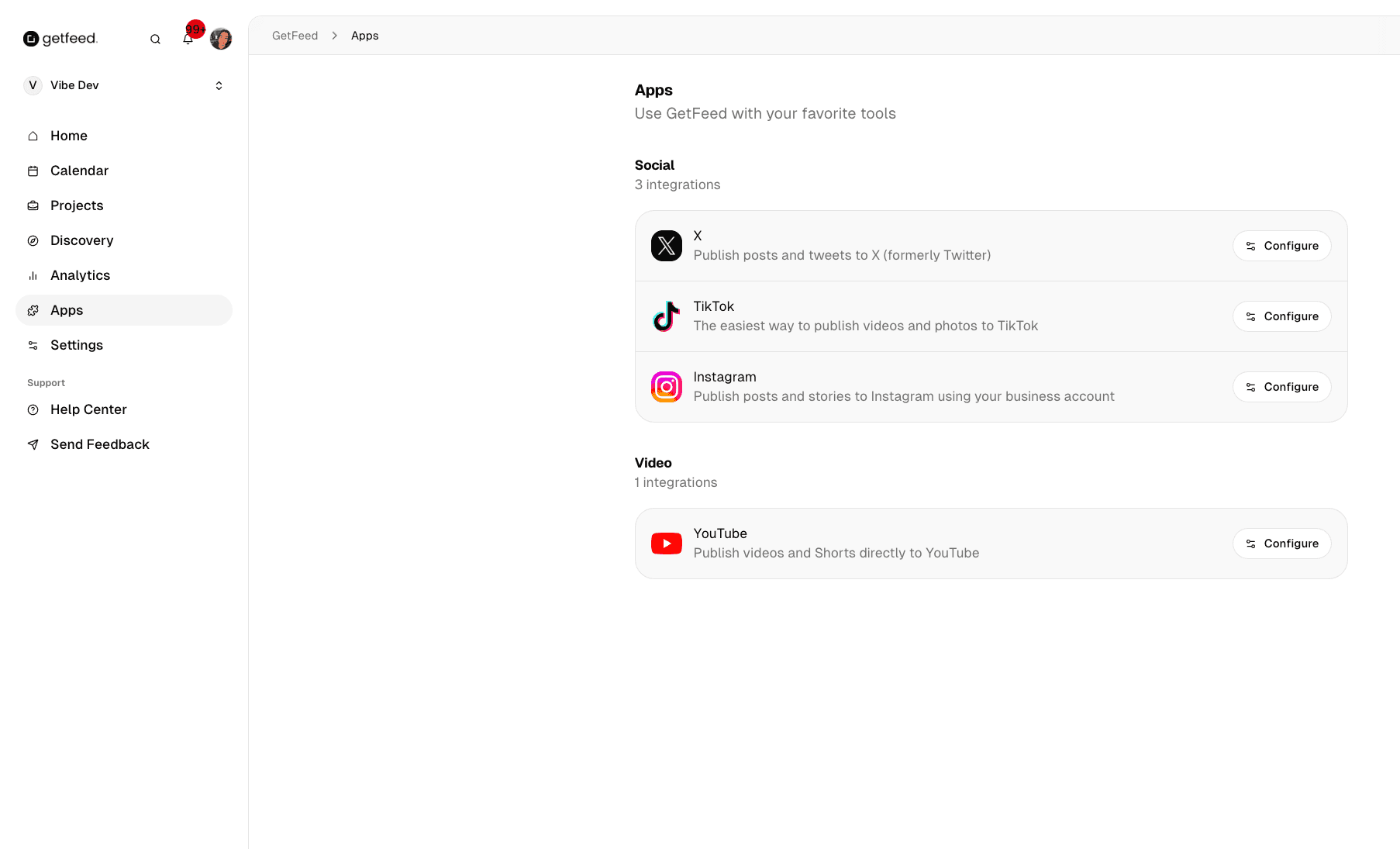
From your GetFeed dashboard, click Apps in the left sidebar. This opens the integrations marketplace showing all available platforms.
Browse Available Integrations
Integrations are organized by category:
- Social: X (Twitter), TikTok, Instagram
- Video: YouTube
Available Integrations
YouTube
| Detail | Information |
|---|---|
| What it does | Publish videos and Shorts directly to YouTube |
| Account type | Any YouTube channel |
| Content types | YouTube Shorts, regular videos |
Click Configure on the YouTube integration card
Sign in with your Google account
Select the YouTube channel you want to connect
Grant GetFeed permission to upload videos on your behalf
TikTok
| Detail | Information |
|---|---|
| What it does | Publish videos and photos to TikTok |
| Account type | Personal or Creator account |
| Content types | Short-form vertical videos |
Click Configure on the TikTok integration card
Sign in with your TikTok credentials
Authorize GetFeed to post on your behalf
| Detail | Information |
|---|---|
| What it does | Publish posts and stories to Instagram |
| Account type | Business or Creator account required |
| Content types | Reels, feed posts, stories |
Important
Click Configure on the Instagram integration card
Sign in with your Facebook account
Select the Facebook Page connected to your Instagram account
Grant the required permissions for posting
X (Twitter)
| Detail | Information |
|---|---|
| What it does | Publish posts and tweets to X |
| Account type | Any X account |
| Content types | Tweets with video attachments |
Click Configure on the X integration card
Sign in with your X credentials
Authorize GetFeed to post on your behalf
Managing Connected Accounts
Once connected, you can manage your integrations from the same Apps page:
- View status: See which accounts are connected and active
- Reconnect: If authentication expires, click Configure again to reconnect
- Disconnect: Remove the connection by revoking access in the platform's settings
Publishing to Connected Platforms
After connecting your accounts, you can publish clips in several ways:
- From the Video Editor: Click Schedule on any edited clip to choose which platforms to publish to
- From the Calendar: Add clips to your posting schedule and select target platforms
- Multi-platform posts: Create different versions of the same clip optimized for each platform
Platform Optimization
Troubleshooting
Best Practices
Related Features
- Configuring Your Posting Schedule - Set up recurring time slots for automated publishing
- Connect AI Assistants with MCP - Connect ChatGPT and Claude to GetFeed
Read More